AI Trends / Apple WWDC26

Siri Is Finally
Evolving toward
"Lobster AI."

From WWDC26: Apple Intelligence, App Intents, View Annotations, and Xcode agents show how every major platform is pushing its assistant toward reading the interface, calling tools, connecting apps, and completing real tasks.

My Read: Every Major Platform Is Building Its Own "Lobster AI"

Google, Microsoft, and Apple are all moving in the same direction. AI is graduating from chat and voice logs into something that can see the interface in front of you, understand what's inside an app, and actually operate, organize, and produce on your behalf.

01Siri Enters the Operation Layer

App Intents let Siri understand the content and actions inside an app, bringing it closer to a genuine entry point for real operations.

02AI Can Read Your Current Interface

View Annotations turn on-screen messages, photos, buttons, and content into semantic elements that can be understood and acted upon.

03Apps Become AI-Callable Tools

You used to tap apps yourself. The next stage is AI knowing what each app can do and connecting them on your behalf.

04The Model Layer Starts to Standardize

Foundation Models and Core AI let Apple bring on-device, cloud, and custom models into a unified platform toolchain.

05Xcode Is Also Going Agentic

Apple putting coding agents inside the IDE means "Lobster AI-ification" is coming to the development workflow itself.

06A Life Scenario I'm Excited About

In the future, I'd go out, shoot photos and video, and Siri would help me cut a life vlog, add subtitles, and turn it into my own personal short film.

Key Highlights: WWDC26 Platforms State of the Union

Below is a 17-segment breakdown of Apple's official one-hour video. I've organized it into a timeline with screenshots, quick summaries, my interpretation, and expandable deep-dive notes. Every segment links back to the original YouTube video for verification.

Source: Apple Developer official YouTube video
Event positioning: three main themes screenshot
00:19-02:23 · Event Positioning: Three Main Themes
ACT 01OpeningYouTube 00:19

Event Positioning: Three Main Themes

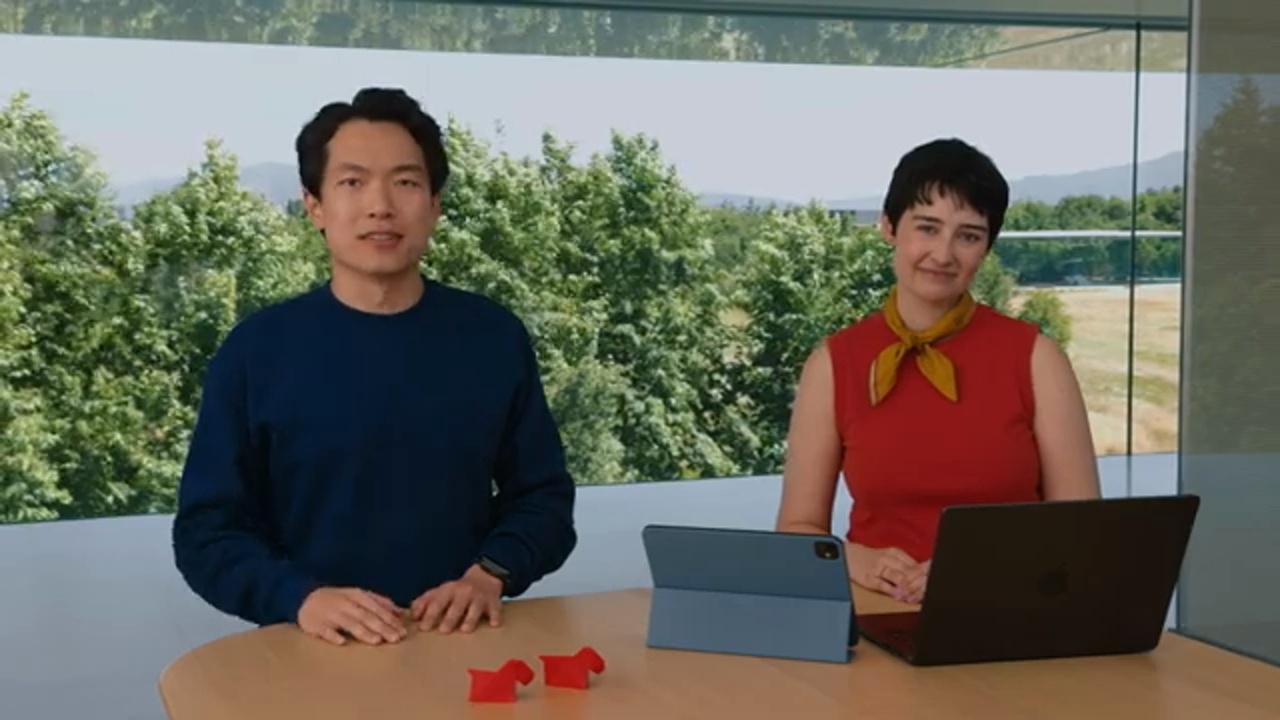
Starting from the developer community, the session establishes that this year's Platforms State of the Union focuses on three things: Apple Intelligence, platform improvements, and developer productivity. Apple frames design and intelligence as the two core pillars of this year's platform evolution.

InterpretationThis segment positions the entire hour as a developer platform roadmap, centered on the intelligence and cross-platform changes that apps will need to navigate.

Apple places design and intelligence on the same primary track.

The opening notes that Liquid Glass and Apple Intelligence are major themes for 2026 releases, and that this year continues to respond to developer feedback. This represents a coordinated adjustment to cross-platform experience and intelligence capabilities.

Review: 00:57-01:14
The three main segments are intelligence, platform improvements, and developer productivity.

These three segments also form the backbone for organizing the complete video: first the model and system intelligence, then design, SwiftUI, and Swift, and finally Xcode and agentic coding.

Review: 01:39-02:18
Full segment notes: what this section is really saying

This segment sets the interpretive frame for the entire event. Apple places the technologies, frameworks, and tools that developers use every day within the same platform roadmap conversation. Everything that follows returns to the question of how developers can make better apps.

The opening also places Liquid Glass and Apple Intelligence at the same level. This signals that Apple is handling AI, design, interface, and developer tooling simultaneously, and asking how apps can maintain their craft and domain expertise through all of it.

The three themes can serve as a reading map for this page: first, how intelligence enters apps; then, how platform UI, Swift, and SwiftUI make apps more adaptive; and finally, how Xcode 27 brings agentic coding into everyday engineering.

Review: 00:19-02:23
Apple Foundation Models and Gemini technology screenshot
02:23-05:26 · Apple Foundation Models and Gemini Technology
ACT 02AI Foundation LayerYouTube 02:23

Apple Foundation Models and Gemini Technology

Apple announces that the new generation of Apple Foundation Models is built in collaboration with Google, drawing on the technology behind the Gemini model family, and can run on-device or via Private Cloud Compute. The Foundation Models framework also expands to support image input and server models.

InterpretationApple's AI strategy packages system-level assistance, model selection, privacy, and cost into a single developer API.

Apple Foundation Models connect Apple Intelligence with third-party apps.

The video states that Foundation Models power Apple Intelligence within the system and are also accessible to developers in their own apps through the Foundation Models framework.

Review: 02:23-02:56
New support for image input and server models.

The framework expands to multimodal and server-side models this year, letting developers choose on-device, Private Cloud Compute, or other cloud model providers depending on the complexity of the task.

Review: 02:56-03:13
Developers below two million first installs can access PCC models with no cloud API cost.

Apple treats entry cost as a barrier to AI adoption for developers, though the exact eligibility criteria, constraints, and cost details should be verified in official documentation.

Review: 03:13-03:30
Full segment notes: what this section is really saying

Apple positions Apple Foundation Models as the core of Apple Intelligence while emphasizing that third-party apps can also use them through the Foundation Models framework. This is platform strategy: packaging model capabilities into a developer-callable API.

The headline additions this year are image input and server models. Developers can use on-device models or reach for Private Cloud Compute or their own cloud provider when the task demands more.

The low-cost entry threshold for Private Cloud Compute is a significant signal about Apple's view of developer AI adoption barriers: it recognizes that model capability, privacy, cost, infrastructure, and distribution friction all matter. Actual terms should be confirmed in official documentation.

Review: 02:23-05:26
Origami sample: multimodal and server models screenshot
05:26-09:04 · Origami Sample: Multimodal and Server Models
ACT 03Framework DemoYouTube 05:26

Origami Sample: Multimodal and Server Models

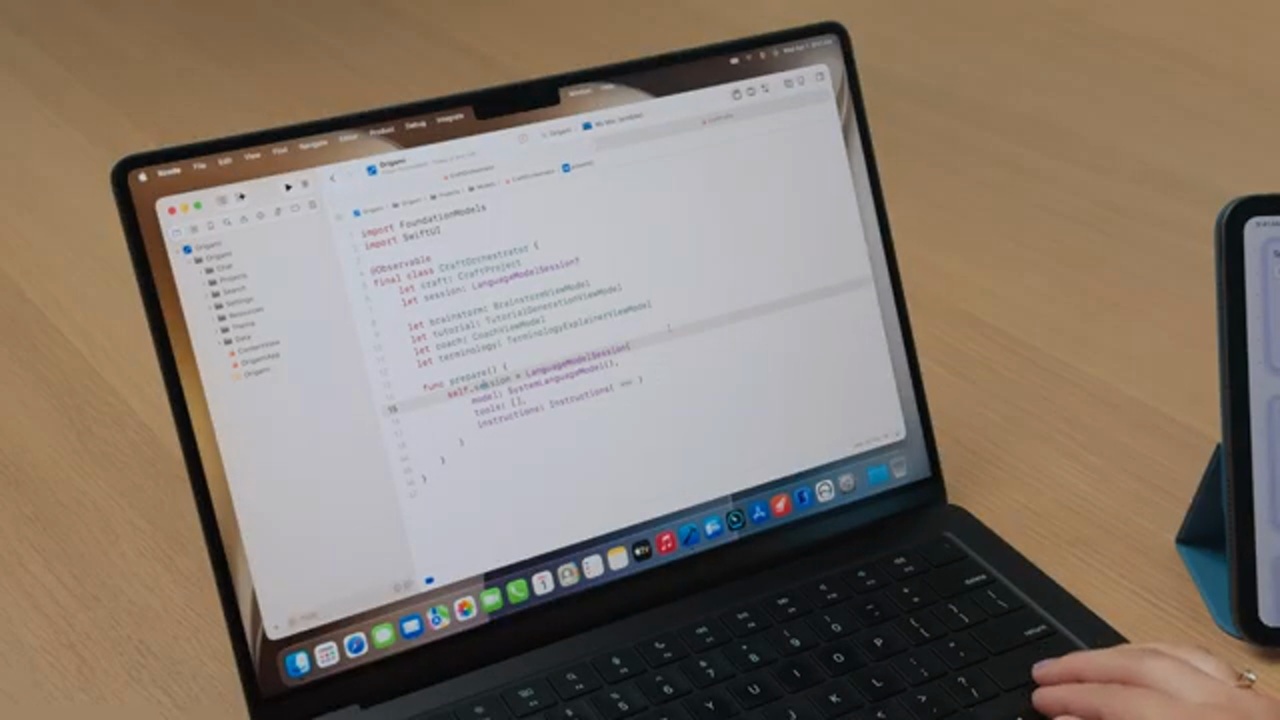
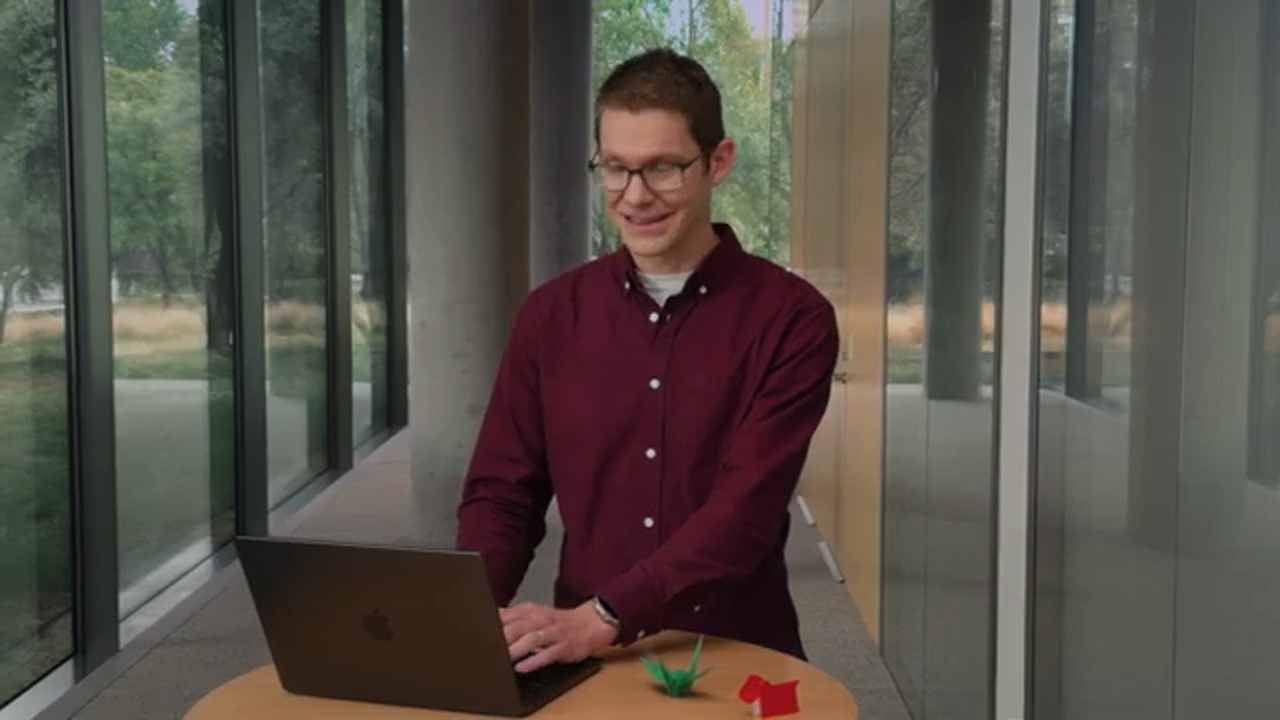
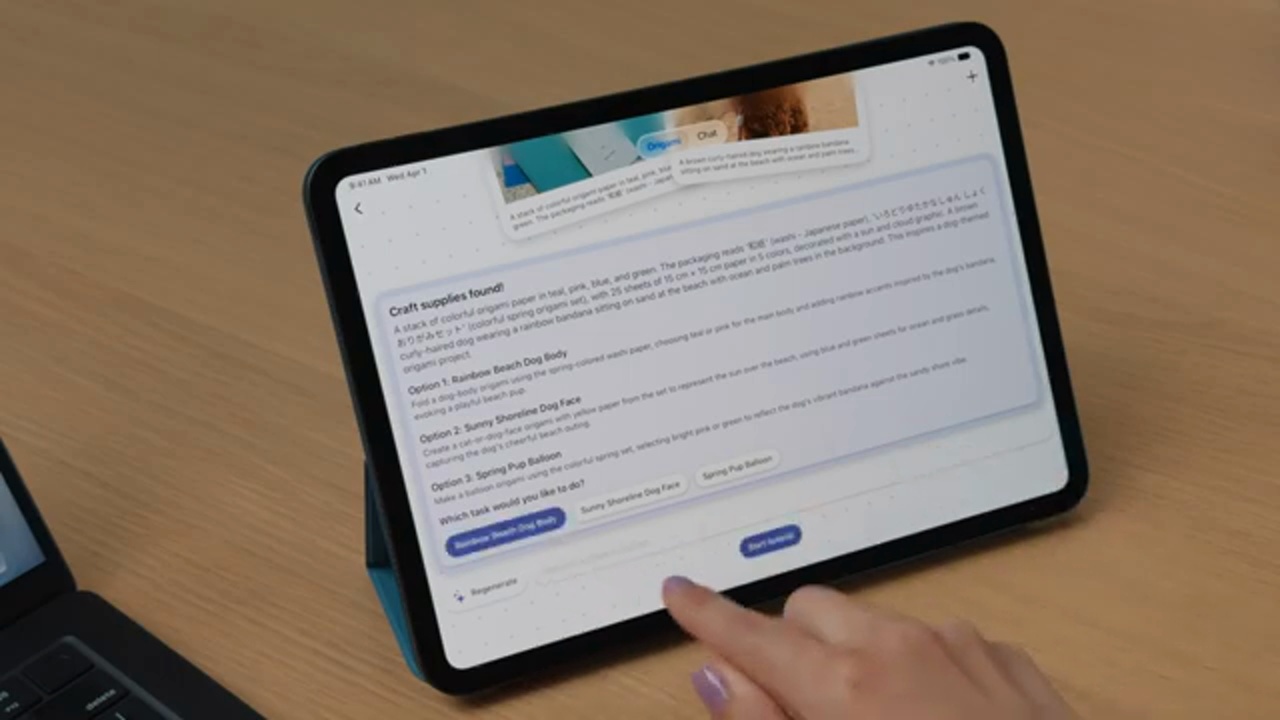
The Origami sample app demonstrates how to combine text, images, OCR, translation, and model inference into an interactive tutorial. The Foundation Models framework can also connect to server models such as Claude and Gemini, and supports tool calling and guided generation.

InterpretationThis segment translates "model capabilities" into "user flows that can be assembled inside an app." It's the section where the full video and a short recap diverge the most.

Multimodal prompts can mix text and images.

The demo generates an origami project plan from materials and a photo of a dog, combining image understanding, text translation, and step-by-step instruction generation into a complete experience.

Review: 05:28-06:36
The Vision framework is integrated as a model-callable tool.

Tools such as OCR and barcode readers let the model handle on-screen text or codes precisely, all running on-device.

Review: 06:56-07:14
Server models can be integrated via the Language Model protocol.

The video explicitly names Claude and Gemini, and states that any model provider can supply a Swift package conforming to the Language Model protocol.

Review: 07:17-07:41
Full segment notes: what this section is really saying

The Origami sample turns the Foundation Models framework from an API name into an understandable product flow. The user provides text, images, or material information; the app uses the model, Vision, translation, and generation to produce a workable origami tutorial.

The most important takeaway here is that AI is now embedded in the core task of an app. The model can be chained with images, text, OCR, barcode readers, guided generation, and tool calling into a complete workflow.

The video also shows that server models such as Claude and Gemini can be integrated via the Language Model protocol. This means Apple has left an open door at the framework level for model providers, so developers don't have to lock their entire AI architecture to a single model.

Review: 05:26-09:04
Dynamic Profiles, evaluation tools, and open-source framework screenshot
09:04-13:08 · Dynamic Profiles, Evaluation Tools, and Open-Source Framework
ACT 04Agent FoundationYouTube 09:04

Dynamic Profiles, Evaluation Tools, and Open-Source Framework

Dynamic Profiles enable dynamic swapping of models, tools, and instructions to help developers build agents or skills. Apple also introduces the Evaluations framework, Foundation Models instrument, FM CLI, Python SDK, and RAG tool, and announces that the Foundation Models framework will be open-sourced.

InterpretationThis segment is about moving AI from demo features to engineered software. Profiles, evaluation, instruments, CLI, and open source all lower the barrier to adoption.

Dynamic Profiles let agent behavior change based on context.

The demo shows models, tools, and instructions swapping based on the origami project, making different profiles behave like different AI agents handling distinct tasks.

Review: 09:04-11:38
The Evaluations framework and instruments are for testing and debugging.

Apple adds prompt testing, model behavior visualization, and terminal prompt tooling alongside generation capabilities, making AI features more verifiable.

Review: 12:00-12:23
The Foundation Models framework will be open-sourced and can run on a server.

Apple states that the same Swift APIs can be used for both apps and servers, enabling Swift developers to build end-to-end AI workflows.

Review: 12:41-12:54
Full segment notes: what this section is really saying

The concept behind Dynamic Profiles is that models, tools, and instructions can be swapped based on the task at hand. For apps, this is more like packaging different working modes as profiles rather than hardcoding a single fixed prompt.

Apple then introduces the Evaluations framework, Foundation Models instrument, FM CLI, Python SDK, and RAG tool. These fill in what's typically missing from AI engineering: testing, observability, debugging, data ingestion, and cross-language workflows.

Open-sourcing the Foundation Models framework and making it runnable on servers signals that Apple wants the same Swift APIs to cover both apps and servers. For Swift developers, this lays the groundwork for end-to-end AI workflows.

Review: 09:04-13:08
Core AI: bringing custom models into apps screenshot
13:08-14:44 · Core AI: Bringing Custom Models into Apps
ACT 05On-device AIYouTube 13:08

Core AI: Bringing Custom Models into Apps

Core AI is a new platform framework for bringing specific models into apps and running them on-device. It provides Swift APIs, PyTorch conversion and optimization tools, ahead-of-time compilation, instruments, and a visual debugger.

InterpretationCore AI fills in the "use your own model" layer, bringing AI work beyond Foundation Models into Apple's standard platform toolchain.

Core AI targets on-device model runtime.

Apple positions Core AI as the best way to bring and run models in an app, particularly for features requiring offline capability, low latency, or custom models.

Review: 13:13-13:28
A complete toolchain runs from PyTorch to the Core AI runtime.

The video covers Python-based tools, ahead-of-time compilation, Core AI instruments, and a visual debugger capable of tracing tensors back to Python source.

Review: 13:41-13:59
Target scenarios range from small vision models on iPhone to multi-billion-parameter LLMs on Mac.

Apple explicitly gives both ends of the spectrum, indicating that Core AI can be deployed flexibly based on model size and device compute.

Review: 14:03-14:26
Full segment notes: what this section is really saying

Core AI addresses a separate layer of need. Some tasks will use Apple Foundation Models; others require developers' own models, such as specialized vision, speech, classification, or LLM tasks running on-device.

The video mentions PyTorch conversion, optimization, ahead-of-time compilation, instruments, and a visual debugger. All of this points in one direction: Apple wants custom models to be part of the formal development toolchain, advancing from research models to verifiable app features.

The scenario range is wide, from small vision models on iPhone to multi-billion-parameter LLMs on Mac. When actually shipping, developers will need to weigh model size, device compute, latency, power, and privacy.

Review: 13:08-14:44
App Intents and Siri natural language operations screenshot
14:44-19:26 · App Intents and Siri Natural Language Operations
ACT 06System IntelligenceYouTube 14:44

App Intents and Siri Natural Language Operations

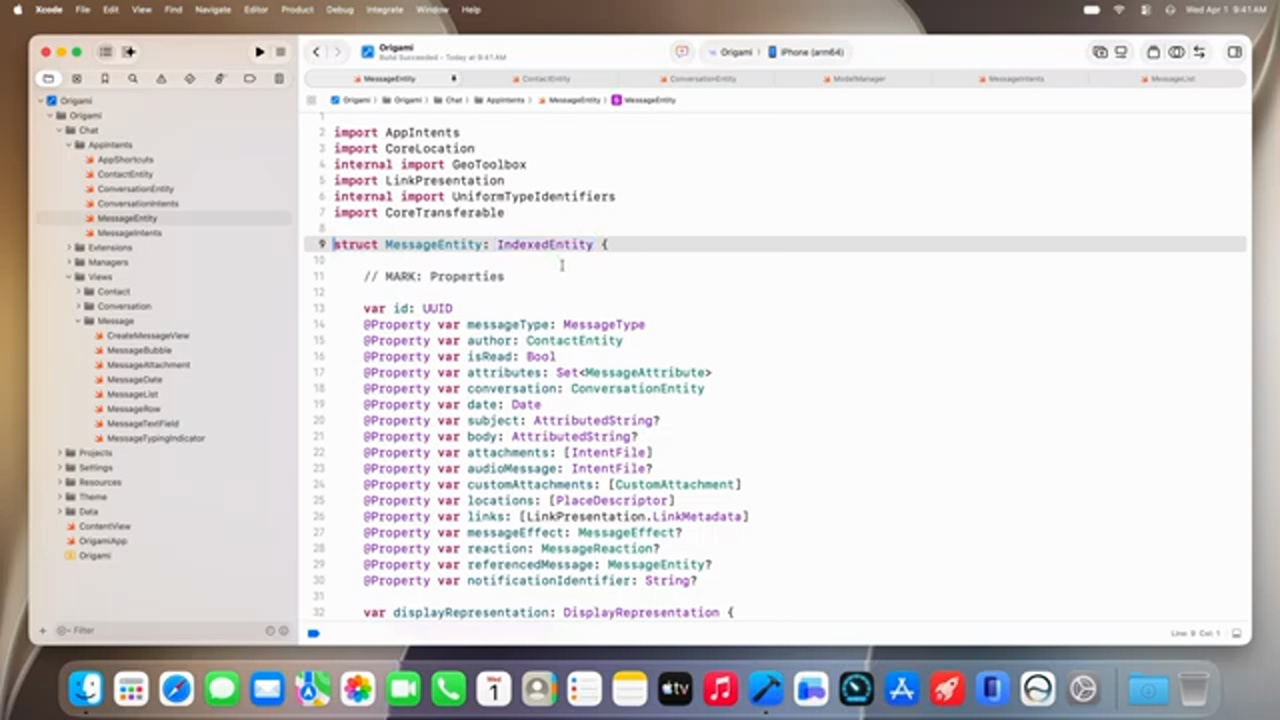
App Intents make an app's content, entities, and actions available to Siri, Shortcuts, widgets, and Apple Intelligence. The demo shows Siri querying conversations and sending messages through the Origami app, and using the View Annotations API to act on on-screen content.

InterpretationApple's system intelligence is turning third-party apps into a content layer that Siri can query, call, and operate.

App Intents schemas let Siri deeply understand app capabilities.

Schemas are structures that Siri can recognize. When developers make entities such as messages, contacts, and conversations conform to a schema, the system can understand what's inside the app.

Review: 15:10-17:16
Users can query content and execute actions using natural language.

In the demo, Siri first queries who's coming to origami night, then follows up to ask what Richard is bringing, and then sends a message directly to Richard.

Review: 17:21-18:17
The View Annotations API turns on-screen content into actionable semantics.

Developers can map views to entities, enabling users to operate on-screen content with natural phrases like "the second message" or "this photo."

Review: 18:18-19:06
Full segment notes: what this section is really saying

This App Intents segment is about how system intelligence understands an app. Developers must structure the app's content, entities, and actions so that Siri, Shortcuts, widgets, and Apple Intelligence can discover, understand, and invoke them.

In the Origami demo, the user asks Siri in natural language who's coming and what they're bringing, then directly triggers sending a message. This means app content is beginning to enter the system-level semantic index and action layer.

The View Annotations API adds screen-level operation. Users can say phrases like "the second message" or "this photo," and the system needs to map the visual elements on screen to entities and actions inside the app.

Review: 14:44-19:26
Intelligence platform recap and design transition screenshot
19:26-22:26 · Intelligence Platform Recap and Design Transition
ACT 07AI Wrap-upYouTube 19:26

Intelligence Platform Recap and Design Transition

Josh closes the Apple Intelligence section by naming three developer opportunities: enhancing natural language experiences via Siri, building AI features with Foundation Models, and running custom models on-device with Core AI. The session then transitions into design and Liquid Glass.

InterpretationThis segment works well as a report divider: the first half covers AI entering apps; the second covers the platform itself becoming more adaptive.

AI capabilities are divided into three layers: Siri, Foundation Models, and Core AI.

Siri handles natural language and system integration; Foundation Models handles generative features; Core AI handles on-device execution of custom models.

Review: 19:26-19:56
Platform improvements begin with design.

Apple groups design refinement, Swift, SwiftUI, and app performance under platform improvements, indicating that this is a platform-level update to UI and development experience.

Review: 20:05-21:35
Full segment notes: what this section is really saying

This segment closes the AI section. Apple organizes what developers can do into three categories: use Siri to enhance natural language experiences, use Foundation Models for generative features, and use Core AI to run custom models on-device.

These three layers represent different entry points. Siri and App Intents form the system integration layer; Foundation Models form the general-purpose model capability layer; Core AI forms the custom model deployment layer. Developers can choose based on their app's nature, and don't necessarily need all three.

The transition to design signals that once AI is inside an app, the interface, layout, readability, and developer tools also need to be revisited alongside it.

Review: 19:26-22:26
Liquid Glass 27: readability, personalization, and consistency screenshot
22:26-25:31 · Liquid Glass 27: Readability, Personalization, and Consistency
ACT 08DesignYouTube 22:26

Liquid Glass 27: Readability, Personalization, and Consistency

Apple says this year continues refining the foundations of Liquid Glass: improving readability over complex backgrounds, adding dark edges and highlights, providing a personalization slider from clear to tinted, and making sidebars, toolbars, icons, and macOS window radii more consistent.

InterpretationLiquid Glass is a design system that affects readability, accessibility, app identity, and cross-device consistency all at once.

Liquid Glass is re-tuned for readability and depth.

It will more effectively diffuse complex content behind it, and dark edges and highlights add separation, so visual effect and readability are addressed together.

Review: 22:43-22:57
Users can adjust from ultra clear to fully tinted.

A slider in Settings lets users choose their preferred level of transparency and tinting, while automatically adapting to accessibility settings such as Reduce Transparency and Increase Contrast.

Review: 22:57-23:25
Sidebars, toolbars, icons, and window radii are pulled into consistency.

These adjustments apply automatically through standard APIs, with additional customization options for tint, scroll edge effects, and Icon Composer.

Review: 23:37-25:15
Full segment notes: what this section is really saying

Liquid Glass 27 covers visual style, readability, depth, dark edges, highlights, background diffusion, and user adjustment between transparency and tint.

For developers, the implication is that apps using standard APIs will automatically benefit from more consistent sidebars, toolbars, scroll edges, icons, and window radii. That said, app identity and content readability still need to be checked independently.

It's also tied to accessibility. Settings like Reduce Transparency and Increase Contrast affect how the effect renders, so Liquid Glass can't be judged from static screenshots alone. It needs to be tested with real content and real user settings.

Review: 22:26-25:31
iOS app resizing and cross-device adaptation screenshot
25:31-27:05 · iOS App Resizing and Cross-Device Adaptation
ACT 09Adaptive UIYouTube 25:31

iOS App Resizing and Cross-Device Adaptation

Apple announces that iOS apps can now resize, working better in larger-screen environments such as iPad, Mac, and iPhone Mirroring. A resizable iOS simulator and Previews also make it easier for developers to test different sizes.

InterpretationThis segment connects the design language to actual app adaptation, and is a signal for existing iOS apps to re-examine their responsive behavior.

iOS apps are no longer confined to a fixed phone context.

Users can take advantage of larger displays, and apps need to handle more flexible layout, navigation, and content density.

Review: 25:31-26:23
A resizable simulator and Previews shorten the testing cycle.

Developers can quickly see how layout changes at different sizes during development, reducing the chance of discovering layout issues only on a real device or in a cross-platform context.

Review: 26:23-26:57
Full segment notes: what this section is really saying

iOS app resizing is a practical platform change. An app can no longer assume it will always run in a fixed phone form factor, because iPad, Mac, and iPhone Mirroring will all place the same app in a more flexible space.

For existing apps, this is a checkpoint: navigation, sidebars, content density, forms, lists, and empty states all need to be revisited, or the app will just look like a magnified phone screen on a large display.

The value of the resizable simulator and Previews is that these issues become visible during development, rather than surfacing when a user encounters a broken layout on Mac or iPad.

Review: 25:31-27:05
SwiftUI interaction and performance upgrades screenshot
27:05-31:50 · SwiftUI Interaction and Performance Upgrades
ACT 10SwiftUIYouTube 27:05

SwiftUI Interaction and Performance Upgrades

SwiftUI adds reorderable containers, swipe actions for arbitrary containers, and more complete text selection. It also improves performance on multiple controls and layouts by sharing an underlying architecture with AppKit and UIKit.

InterpretationThe SwiftUI updates are centered on pulling common interactions, performance issues, and adaptation concerns into the framework layer.

Drag-to-reorder and swipe actions work for more custom containers.

Grid reordering and custom row swipe actions that once required writing substantial code can now be implemented with standard modifiers, reducing interaction boilerplate.

Review: 29:12-30:13
SwiftUI, AppKit, and UIKit are progressively unifying their underlying layer.

Apple states that multiple controls are beginning to share a common foundation, so scenarios like menu pickers and nested stacks benefit automatically.

Review: 30:41-31:31
Async image cache and toolbar control reduce everyday friction.

These improvements make it easier to hand off remote image loading and toolbar behavior when space is constrained to the framework rather than writing custom code.

Review: 31:31-33:04
Full segment notes: what this section is really saying

This SwiftUI segment focuses on everyday UI problems: reorderable containers, swipe actions for arbitrary containers, text selection, toolbar control, and async image cache. None of these are high-concept, but they directly reduce the boilerplate in building apps.

Apple also notes that SwiftUI, AppKit, and UIKit are increasingly sharing foundations, so controls like menu pickers, nested stacks, and layouts benefit in terms of performance. This means the platform frameworks are converging toward more consistent infrastructure.

For developers, the key read here is not just what new modifier names are available, but which interactions that previously required custom code can now be delegated to the standard framework. That has a real impact on maintenance cost.

Review: 27:05-31:50
Document API and Spatial Preview screenshot
31:50-35:13 · Document API and Spatial Preview
ACT 11Documents / SpatialYouTube 31:50

Document API and Spatial Preview

A new SwiftUI document infrastructure delivers more complete capabilities for document-based apps, including the ability to observe and update document properties. The Spatial Preview framework lets Mac apps stream 3D models into Vision Pro space for preview.

InterpretationThis segment shows Apple pulling both traditional document-based apps and spatial computing into SwiftUI's modern development workflow.

The new document infrastructure supports richer document apps.

It provides undo, autosave, Quick Look, sharing, and version browsing, and can read and write only the changed parts of a document.

Review: 33:32-34:12
Spatial Preview brings 3D previewing into the development loop.

Mac apps can stream 3D models into the surrounding Vision Pro space, so editing, previewing, and sharing are closer to the actual spatial experience.

Review: 34:26-34:48
Full segment notes: what this section is really saying

The document infrastructure update pulls common document-based app needs into SwiftUI. Undo, autosave, Quick Look, sharing, version browsing, and writing only changed parts all make it easier for document-type apps to follow the standard path.

The Spatial Preview framework puts 3D model previewing into the development loop. Mac apps can stream models into the surrounding Vision Pro space, bringing developers closer to the actual spatial experience when adjusting content.

This segment is less flashy than the AI sections, but it shows that Apple is still expanding SwiftUI's applicable domain: not just general app UI, but document-based apps and spatial computing content as well.

Review: 31:50-35:13
Swift as a full-stack and systems language screenshot
35:13-39:50 · Swift as a Full-Stack and Systems Language
ACT 12SwiftYouTube 35:13

Swift as a Full-Stack and Systems Language

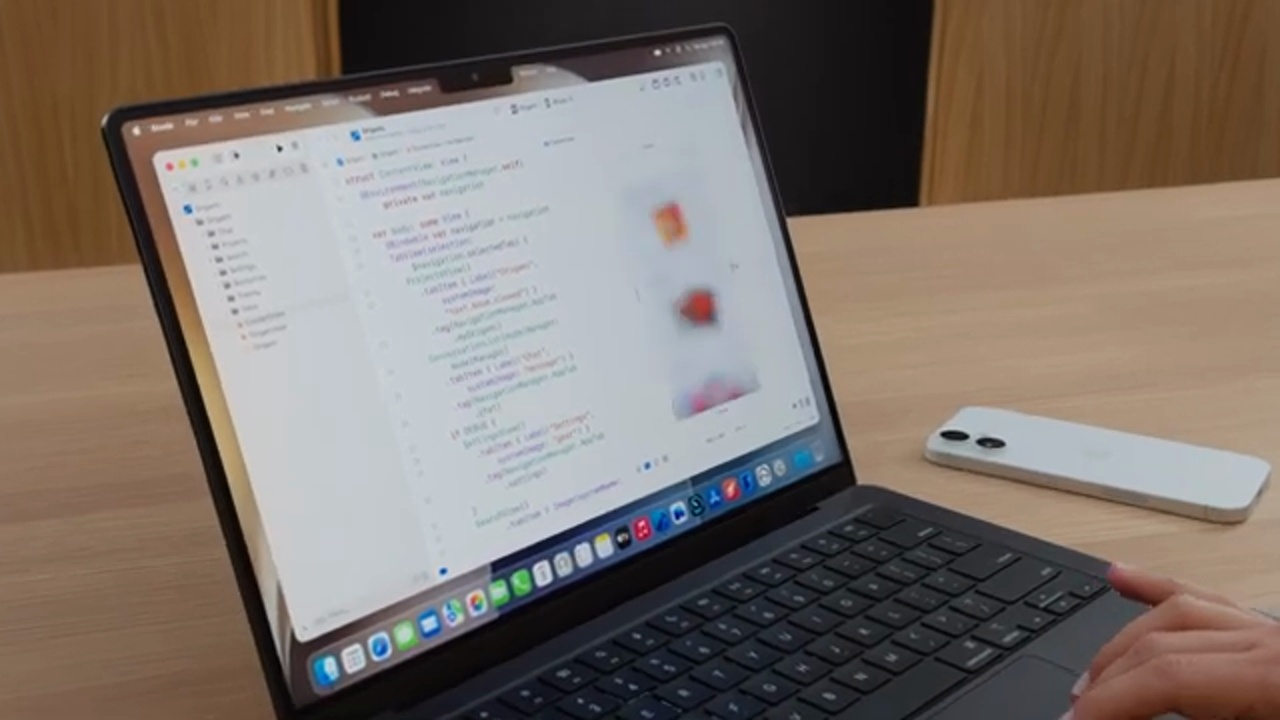
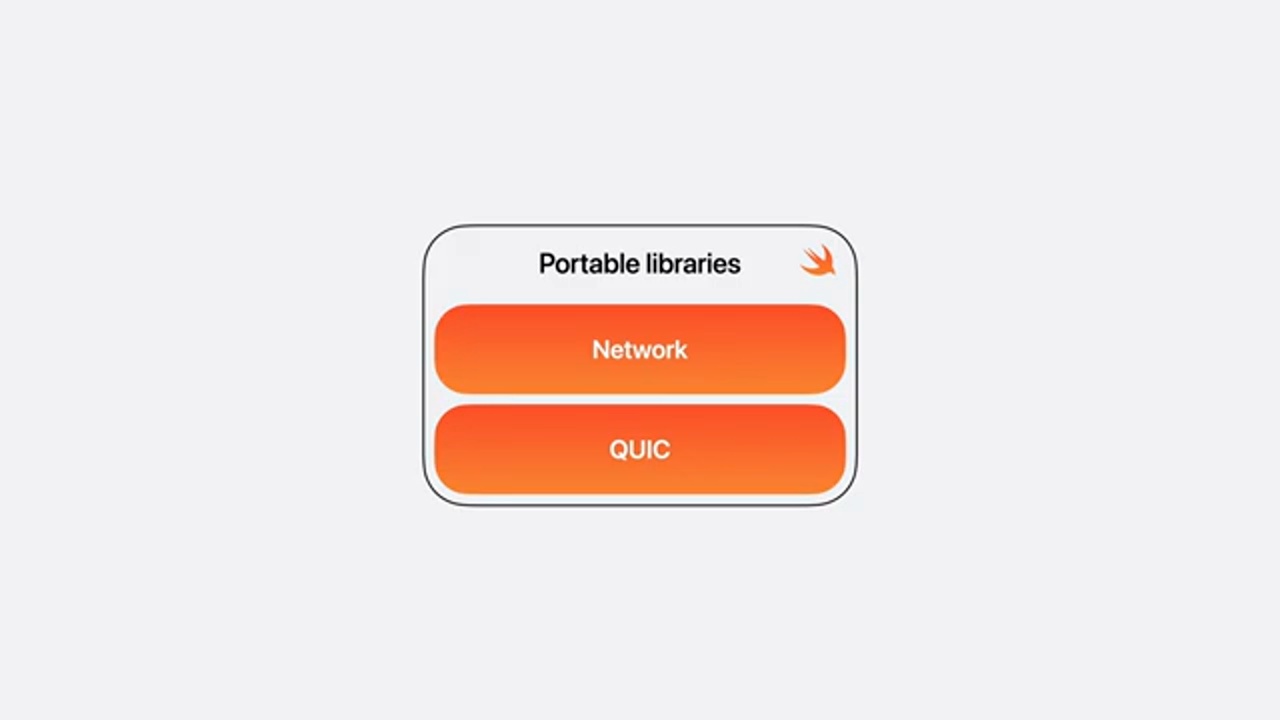
Apple positions Swift as a language that can span mobile apps, services, embedded firmware, servers, WebAssembly, and Java/C++ interoperability. The video also shows how Apple is progressively adopting Swift internally across Foundation, UIKit/AppKit, WebKit, QUIC, TrueType, and kernel components.

InterpretationThe claim in this Swift segment is strong: Apple wants to push Swift as the long-term language for cross-platform and low-level systems work.

Swift is positioned as usable across the entire stack.

The video mentions Linux, Windows, Android, WebAssembly, and C++ and Java interoperability, with the goal of letting existing systems gradually bring in Swift.

Review: 35:18-36:57
Apple is also taking Swift deeper internally.

Foundation, AppKit/UIKit, WebKit, QUIC, TrueType, firmware, coprocessors, drivers, and kernel components are all cited as examples of Swift's adoption at the systems level.

Review: 36:57-38:17
Full segment notes: what this section is really saying

The claim in this Swift segment is clear: Apple is pushing Swift toward mobile apps, services, embedded firmware, servers, WebAssembly, and C++ and Java interoperability.

The video lists Apple's internal adoption of Swift across Foundation, UIKit/AppKit, WebKit, QUIC, TrueType, firmware, drivers, and kernel components. This uses their own adoption as the argument for Swift as a systems language.

For outside developers, this segment reads as a long-term signal: Swift's value includes its syntax, cross-platform reach, cross-layer applicability, and the ability to cross existing language boundaries into more engineering contexts.

Review: 35:13-39:50
Swift 6.4 and everyday developer efficiency screenshot
39:50-42:03 · Swift 6.4 and Everyday Developer Efficiency
ACT 13Swift 6.4YouTube 39:50

Swift 6.4 and Everyday Developer Efficiency

Swift 6.4 focuses on the everyday workflow: better completion, diagnostics, API grouping, automatic import insertion, and the anyAppleOS availability attribute.

InterpretationThis segment is less sweeping than the systems narrative before it, but it directly affects the friction developers encounter when writing Swift every day.

Compiler and IDE feedback is closer to everyday work.

The video covers better completion, fix-its, diagnostics, and automatic import handling, with the goal of making Swift faster to write with fewer interruptions.

Review: 38:41-40:13
anyAppleOS availability reduces conditional checks across Apple platforms.

This makes certain API availability checks more concise, which is friendlier for code that supports multiple Apple devices.

Review: 40:13-41:02
Full segment notes: what this section is really saying

Swift 6.4 leans more toward everyday developer efficiency than the earlier sections: completion, fix-its, diagnostics, API grouping, and automatic imports. These improvements affect how often developers are interrupted during a typical coding session.

The point of anyAppleOS availability is reducing the complexity of conditional checks when targeting multiple Apple platforms. When an app needs to simultaneously support iPhone, iPad, Mac, and Vision Pro, small changes like this accumulate into real maintenance cost differences.

This segment works well as a reminder in presentations: platform updates also include IDE and language experience improvements that help engineers guess less, look things up less, and fix fewer things.

Review: 39:50-42:03
Xcode 27: daily experience, themes, and Device Hub screenshot
42:03-49:00 · Xcode 27: Daily Experience, Themes, and Device Hub
ACT 14Xcode DailyYouTube 42:03

Xcode 27: Daily Experience, Themes, and Device Hub

Xcode 27 has two tracks: intelligence and daily experience. Daily experience includes faster launch, crash and spin fixes, more reliable debugging, a 30% smaller footprint, iCloud-synced settings, faster new-project creation, customizable toolbars, themes, Xcode Cloud, and Device Hub.

InterpretationThis is the foundation before agentic coding: the IDE needs to be faster, more stable, and more personal before agents can become part of the everyday workflow.

Xcode 27 is 30% smaller and settings can sync via iCloud.

Being Apple Silicon-only and background-downloading components like agents and documentation keeps the core footprint small. A new Mac can immediately carry in settings and Git config.

Review: 43:45-44:34
The interface is customizable with themes and project identity.

The toolbar is rearrangeable and the activity view moves into the document title. Themes such as Emerald, Neon Noir, and Coral Reef give different projects distinct visual identities.

Review: 45:04-46:30
Device Hub integrates simulators and physical devices.

Device Hub replaces previously scattered device management, supporting both virtual and real devices with live resizing, pinch to zoom, and performance and sensor controls.

Review: 47:36-48:56
Full segment notes: what this section is really saying

Xcode 27 addresses daily experience before agentic coding, and the order matters. The IDE itself needs to be faster, more stable, and more personalizable before agents have a chance to become part of the daily workflow.

The video covers launch performance, crash and spin fixes, debugging reliability, a 30% smaller footprint, iCloud-synced settings, new project creation, customizable toolbars, themes, Xcode Cloud, and Device Hub. These are all friction points developers encounter every day.

Device Hub's significance is putting simulator and physical device management in one place, with support for live resizing, pinch to zoom, and sensor controls. This connects directly to the resizable app testing needs mentioned earlier.

Review: 42:03-49:00
Xcode agentic coding: from planning to testing and fixing screenshot
49:00-56:02 · Xcode Agentic Coding: From Planning to Testing and Fixing
ACT 15Agentic CodingYouTube 49:00

Xcode Agentic Coding: From Planning to Testing and Fixing

Xcode brings coding agents into the IDE workflow. An agent conversation opens like a document in the editor; /plan first produces a plan and diagram for the developer to review before implementation begins. The agent can also run the app, test UI, localize, analyze crashes, and apply fixes.

InterpretationThis segment upgrades agents from chat completions to an engineering workflow inside the IDE. Planning, implementation, verification, and improvement are all brought in.

/plan lets the agent propose an implementation approach first.

The agent explores the project, understands its architecture and patterns, asks clarifying questions, and generates a Markdown plan and diagram for the developer to review before implementation proceeds.

Review: 50:23-52:18
The agent can operate the simulator to test UI.

In the demo the agent launches the app and Device Hub, taps, swipes, and types, then returns a test summary and screenshots.

Review: 53:37-54:09
The agent can assist with localization and crash fixes.

Xcode translates the strings catalog based on context and can pull top crashes from Organizer, analyze symbolicated crash logs, reproduce the issue, apply a fix, and verify it.

Review: 54:11-55:50
Full segment notes: what this section is really saying

Xcode agentic coding is designed so that agent conversations open like documents that can be split and stacked, signaling that they are treated as engineering artifacts.

/plan is the key feature. The agent explores the project first, understands its architecture and patterns, proposes a Markdown plan and diagram, and waits for developer review before implementing. This is closer to genuine team collaboration than directly generating code.

The second half of the demo shows the agent running the app, operating the simulator, testing UI, doing localization, analyzing crash logs, reproducing issues, and applying fixes. This means the agent's role extends from "writing" to "verifying" and "improving."

Review: 49:00-56:02
Plugins, MCP, and Agent Client Protocol screenshot
56:02-57:52 · Plugins, MCP, and Agent Client Protocol
ACT 16Plugins / ProtocolsYouTube 56:02

Plugins, MCP, and Agent Client Protocol

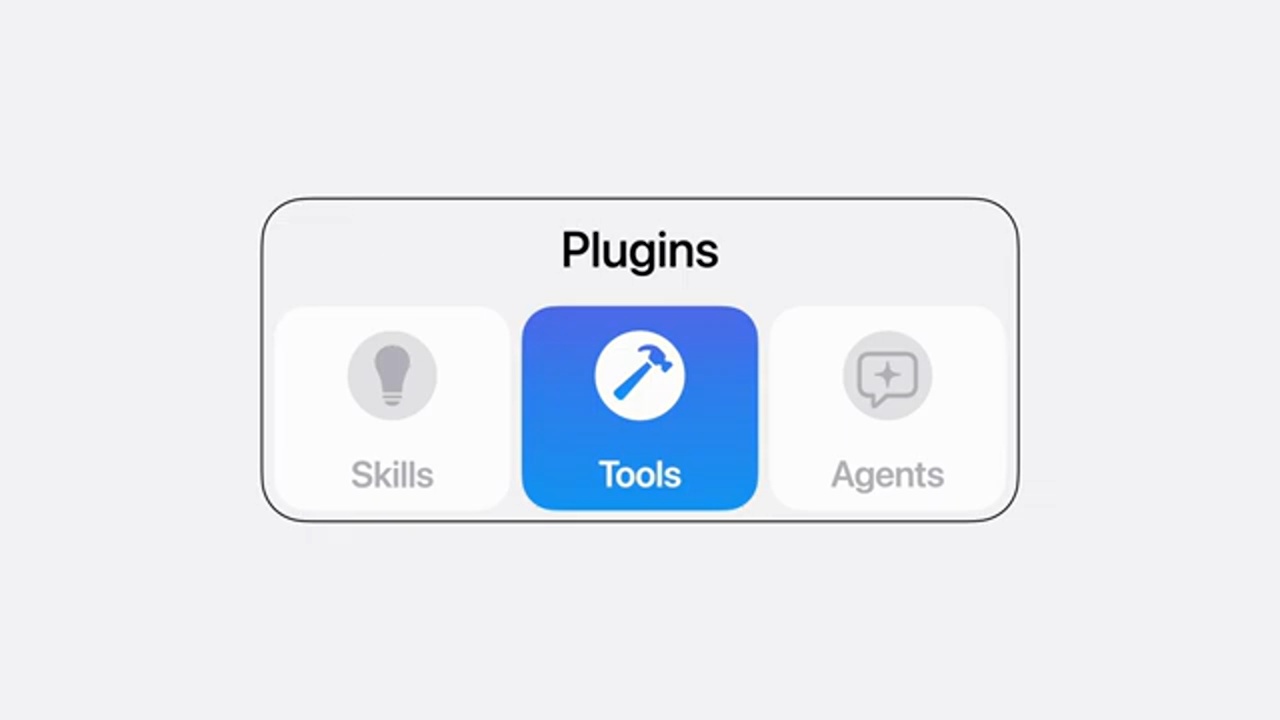
Xcode 27 ships with built-in skills, documentation, and MCP tools from Apple engineers and designers. It also supports plugins that bring skills, MCP tools, and any agent via the Agent Client Protocol into Xcode. Figma and GitHub are named as one-click setup examples.

InterpretationApple is turning Xcode into an agent client, bringing external tools, design workflows, and code workflows into the same IDE workspace.

Xcode ships with built-in specialist skills.

Expert knowledge and tools covering SwiftUI, accessibility, universal sizing, testing, and performance are packaged as capabilities that agents can invoke.

Review: 56:02-56:34
A plugin can include skills, MCP tools, and an agent simultaneously.

The Agent Client Protocol lets a plugin bring in a developer's chosen agent. Installation can be done via command line or a Git URL.

Review: 56:40-57:13
Figma and GitHub enter the Xcode agent workflow.

The demo phrase is: implement a Figma design, use the skill to make it resizable, then open a PR to GitHub. This shows design and code tools being connected into a single workflow.

Review: 57:13-57:31
Full segment notes: what this section is really saying

Xcode 27 ships with specialist skills covering SwiftUI, accessibility, universal sizing, testing, and performance. This means the agent isn't just a general-purpose model but can carry Apple engineering and design knowledge.

Plugins can include skills, MCP tools, and any agent via the Agent Client Protocol. This means Xcode is becoming an agent client that can connect to external tools and external agents.

Naming Figma and GitHub explicitly is a strong signal: design files, code, tests, and PRs that were previously scattered across separate tools will be easier for an agent to connect into a single flow.

Review: 56:02-57:52
Reality Composer Pro, Game Porting, and WWDC follow-up screenshot
57:52-01:01:39 · Reality Composer Pro, Game Porting, and WWDC Follow-up
ACT 17Wrap-upYouTube 57:52

Reality Composer Pro, Game Porting, and WWDC Follow-up

The closing segment covers Reality Composer Pro 3, Game Porting Toolkit, and Metal command line tools, then wraps up this year's developer productivity story. Apple directs viewers to 100+ sessions, Group Labs, forums, Meet with Apple, and Developer Centers.

InterpretationThe final segment turns the complete video into a learning path. For deeper details, return to the WWDC sessions and official documentation.

Reality Composer Pro 3 and Game Porting Toolkit are also part of the tool upgrades.

Reality Composer Pro 3 is rebuilt on RealityKit with support for character animations, lighting, and live previews. Game Porting Toolkit adds AI skills, and Metal command line tools let agents participate in development and debugging.

Review: 57:52-58:46
This year's core themes are collected as App Intents, Foundation Models, Core AI, Design, Swift/SwiftUI, and Xcode agentic coding.

This is the official summary of the complete video and can serve as a framework for follow-up presentations or course outlines.

Review: 58:48-59:23
Official follow-up resources include sessions, labs, forums, Meet with Apple, and Developer Centers.

The closing mentions 100+ sessions and announces that the Berlin Developer Center will open in the fall.

Review: 59:25-61:11
Full segment notes: what this section is really saying

The final segment adds Reality Composer Pro 3, Game Porting Toolkit, and Metal command line tools, showing that developer productivity extends beyond general apps and Xcode to spatial content, game porting, and command-line debugging.

The official summary returns to the main tracks: App Intents, Foundation Models, Core AI, Design, Swift and SwiftUI, Xcode agentic coding. This can also serve as the chapter list for a follow-up learning path.

The closing guides viewers to 100+ sessions, Group Labs, forums, Meet with Apple, and Developer Centers. A public page like this one should position itself as a guide, not a replacement for official documentation and sessions.

Review: 57:52-01:01:39

Want to Build This Kind of News Digest Yourself?

Hand a YouTube link to AI and it can produce this kind of timeline, screenshots, key summaries, and even turn it directly into a webpage or presentation. In my free talk on 6/14, I walk through exactly how this workflow runs.

Join for free:

I host two free online talks every month.

The 6/14 session teaches you how to turn a YouTube link into this kind of web presentation. See my LINE community for details.

Free Online Talks

Two free sessions every month.

Join the LINE Community ↗