
A meeting transcript can easily run tens of thousands of words. Just reading it leaves you full. Distilling it into something you can actually use next time? Even harder. This article lays out my complete seven-step process, from speaker diarization all the way to asking "did this meeting mean anything for my career?" The core question is simple: once a meeting ends, how do you organize what's left so that the next time the same people and the same project come back around, you can find it instantly and pick up right where you left off?
- People who have multiple meetings a week and transcripts stacking up with no time to process them
- Freelancers, consultants, and collaborators who need to consolidate every conversation into something lasting
- People who have tried using AI to organize meetings, only to find the output either too short or too far from the point
- A seven-step meeting record workflow you can copy directly
- Definitions for four levels of transcript cleanup, so you know how much to keep for any given meeting
- A post-meeting strategy report template plus two reusable prompts you can paste right away
The First Three Steps: What I Do Myself
These three steps cannot be delegated. They determine how much value the AI can extract from everything that follows.
Speaker diarization: turning the recording into a transcript that knows who said what
The foundation of a good meeting record is a transcript that shows who said what and when. Without speaker labels, every analysis downstream blurs into noise.
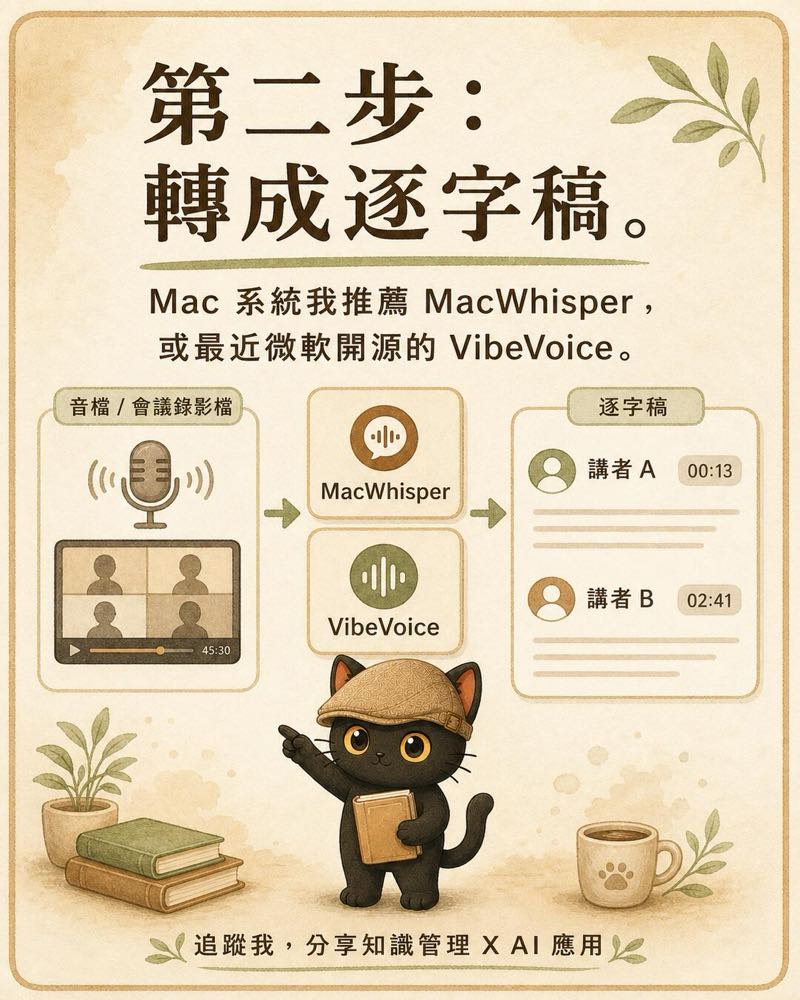
For in-person meetings I use a voice recorder or my phone. For remote meetings I run OBS to capture both the screen and the audio. I then use a speaker-diarization tool to generate the transcript. On Mac I use MacWhisper, or Microsoft's recently open-sourced VibeVoice. The key requirement: the output must tag each speaker and include timestamps. That labeled, time-coded transcript is the raw material for every step that follows.


I then run the audio through a speaker diarization tool to produce the transcript. On Mac I use MacWhisper, or Microsoft's recently open-sourced VibeVoice. The non-negotiable is having each speaker labeled with a timestamp. That labeled, time-coded transcript is the raw material for every step that follows.
Adding the on-the-ground observations the recording cannot capture
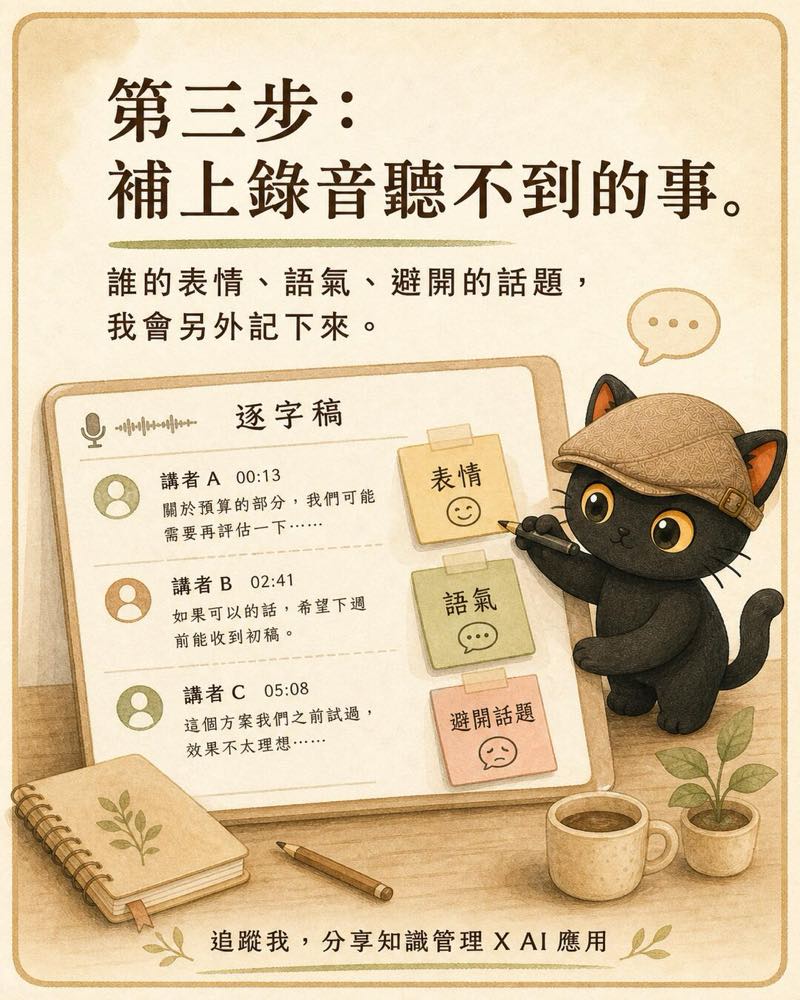
A recording captures everything everyone said. What it cannot capture is the atmosphere in the room. And often, what goes unspoken is exactly what determines what happens next. For meetings that matter, I write a brief observer's note on the spot:
- Who showed a noticeable shift in expression or tone
- Who deliberately steered away from a particular topic
- Whose words visibly lifted the energy in the room
- Where and when the atmosphere turned
I add these notes directly into the transcript, clearly marked as my own field observations. When the AI later runs risk analysis or describes someone's position, these observations are the piece it cannot see on its own, and only I can supply.
Hand it to the AI with a single instruction
The first two steps prepare the raw material. From here I don't want to issue commands one by one. I hand the transcript (with my field observations included) to the AI and say one thing: "run a full comprehensive synthesis." From this point on, the AI automatically handles the remaining four steps, pausing only once before generating the strategy report to confirm with me.
The Final Four Steps: Handled by the AI
Archive and backup, then tiered transcript cleanup
The AI first saves an unmodified copy of the raw transcript, word for word. That's the restore point. Then it cleans up the transcript. How much to clean is my call. The standard is simple: how much of the original does the cleaned version retain?
- Light: keep 10 to 20 percent. Only the core conclusions and action items. For meetings that don't need much.
- Standard: keep 30 to 50 percent. Cut the filler, preserve all substantive discussion, examples, and figures. This is my default.
- Detailed: keep 70 to 90 percent. Keep almost everything; only remove obvious repetition and filler.
- Verbatim correction: keep 100 percent. No cuts, no reductions. Only fix clear typos based on context. Every filler word stays.
After cleanup the AI reports back: original word count, cleaned word count, and retention ratio. One glance tells me whether it cut too deep. To run this step yourself, use this prompt:
Generate the post-meeting strategy report
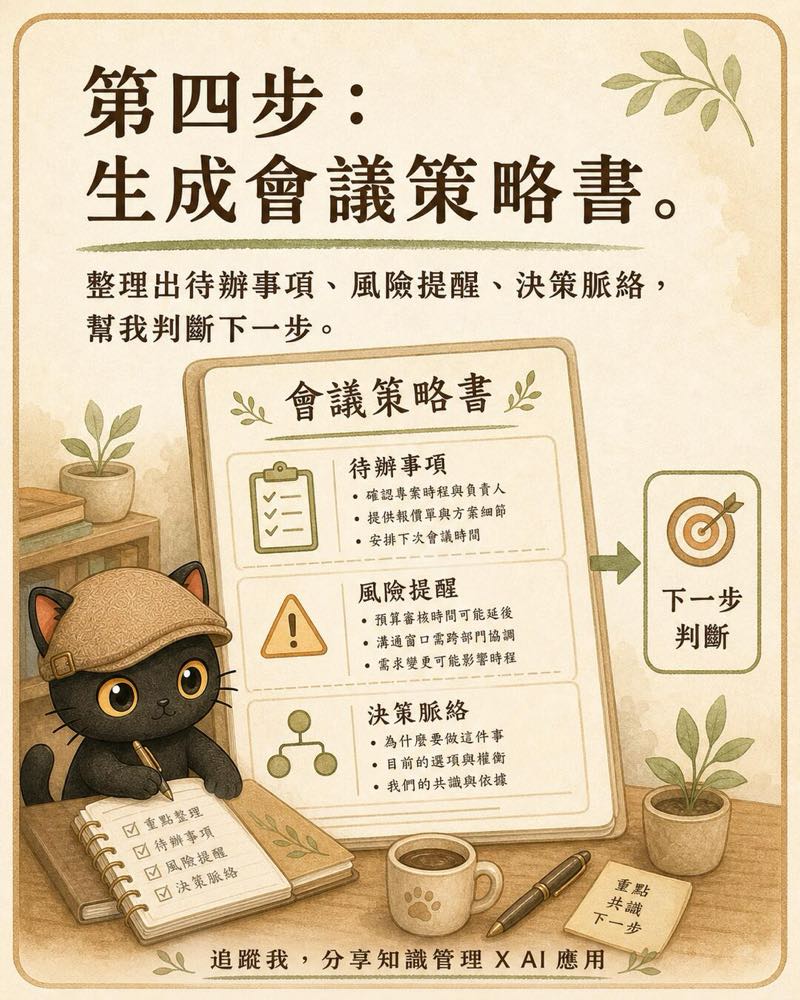
The cleaned transcript is the full text for reading. The strategy report is the entry point for decision-making. A good post-meeting report lets me know in three seconds what to do next and what to watch out for, while still giving me access to the full context whenever I need it. It always has three sections, with the critical information up front and the supporting detail at the back:
- Priority action items: a checkable list of action items, each with an owner, a next step, and a deadline
- Risks and open questions: blockers to watch, unresolved issues, and items that need follow-up confirmation
- Full context: all the key points from the cleaned transcript, organized chronologically and collapsed by default
I specifically ask for the third section to be collapsible. Closed by default, the view stays clean. Any time I need to check what exactly was said in a particular segment of that meeting, I expand it. One report serves as both decision entry point and complete reference archive, with no need to open two files.
Draft the deliverables you committed to
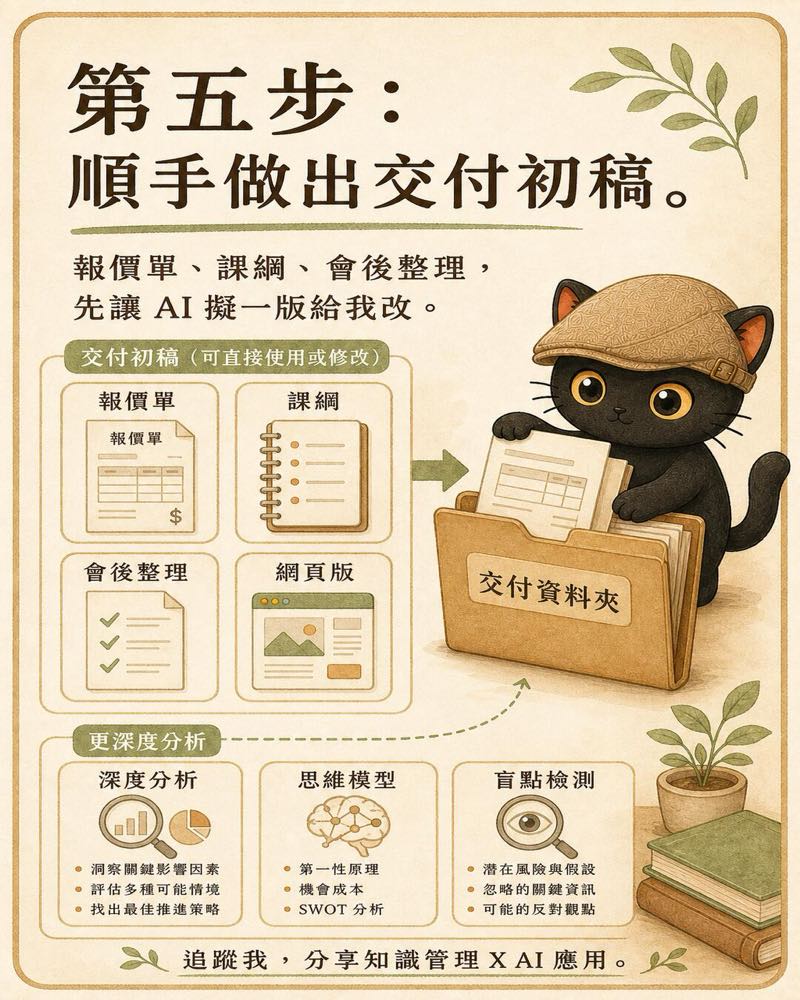
In almost every meeting someone casually agrees to send something: a quote, a course outline, a follow-up summary. Rather than going back and starting from scratch later, it's better to have the AI draft those deliverables while it still holds the full context of the meeting. It scans the entire conversation, identifies what I committed to delivering, and produces a first draft. By default it gives me both a document version and a web-ready version, each marked "draft pending review." The content reflects only what was actually discussed in the meeting. Prices and session counts that were never mentioned don't get invented. What I receive is a 70 to 80 percent complete draft I can edit directly.
A Naval and Elon Musk lens: was this meeting worth my time?
Steps one through six are about organizing what happened in this meeting. Step seven asks me to step back and raise a higher-level question: what does this meeting actually mean for my overall career, and was it worth showing up for? This step is optional. I add the phrase "deep analysis" to the prompt and it kicks in.
It runs two lenses in sequence. Naval's lens asks about the type of leverage involved, whether the meeting is building specific knowledge that only I can accumulate, and whether my attention will compound over time. Elon Musk's first-principles lens cuts through "that's just how it's done" and asks whether this meeting is actually necessary for my biggest goal, whether it's a direct path or a detour, and whether it's the highest-leverage use of my time. The final output is a synthesized verdict: does this meeting add to my trajectory, leave it neutral, or pull me off course, along with a recommended next step.
One-Page Overview

Seven Steps in Brief
- Speaker diarization: start with a transcript that identifies speakers and includes timestamps
- For meetings that matter, add the on-the-ground observations the recording cannot capture
- Hand it to the AI and say "run a full comprehensive synthesis" to kick off the process
- Archive a backup, then clean the transcript at one of four levels
- Generate the post-meeting strategy report: priority action items, risks and open questions, full context collapsed by default
- Draft whatever deliverables you committed to during the meeting
- When you want the bigger picture, add "deep analysis" and let the AI assess whether the meeting was worth your time
Common Pitfalls
- Skipping speaker diarization and using plain transcription instead. Without a solid foundation, every downstream analysis collapses.
- Keeping your field observations in your head rather than writing them down. Mark them in the transcript on the spot. You will not remember them later.
- Always cleaning the transcript to the shortest possible length. Decide how much this meeting deserves to keep. Default to standard; use detailed for meetings that matter.
- Front-loading the strategy report with details. Conclusions and actions go first; full context is collapsed at the back for reference.
- Feeding the AI facts that didn't happen when asking it to assess meeting value. Base everything on the report and your established positioning only.
Want to build your own meeting workflow?
I run two free online talks every month, sharing practical methods for using AI as a thinking partner, and for distilling knowledge and experience into prompts, Skills, and knowledge bases. If AI and knowledge management, or surfacing tacit knowledge, sounds like your thing, start with the community.
Two free sessions every month.
Join the LINE Community ↗