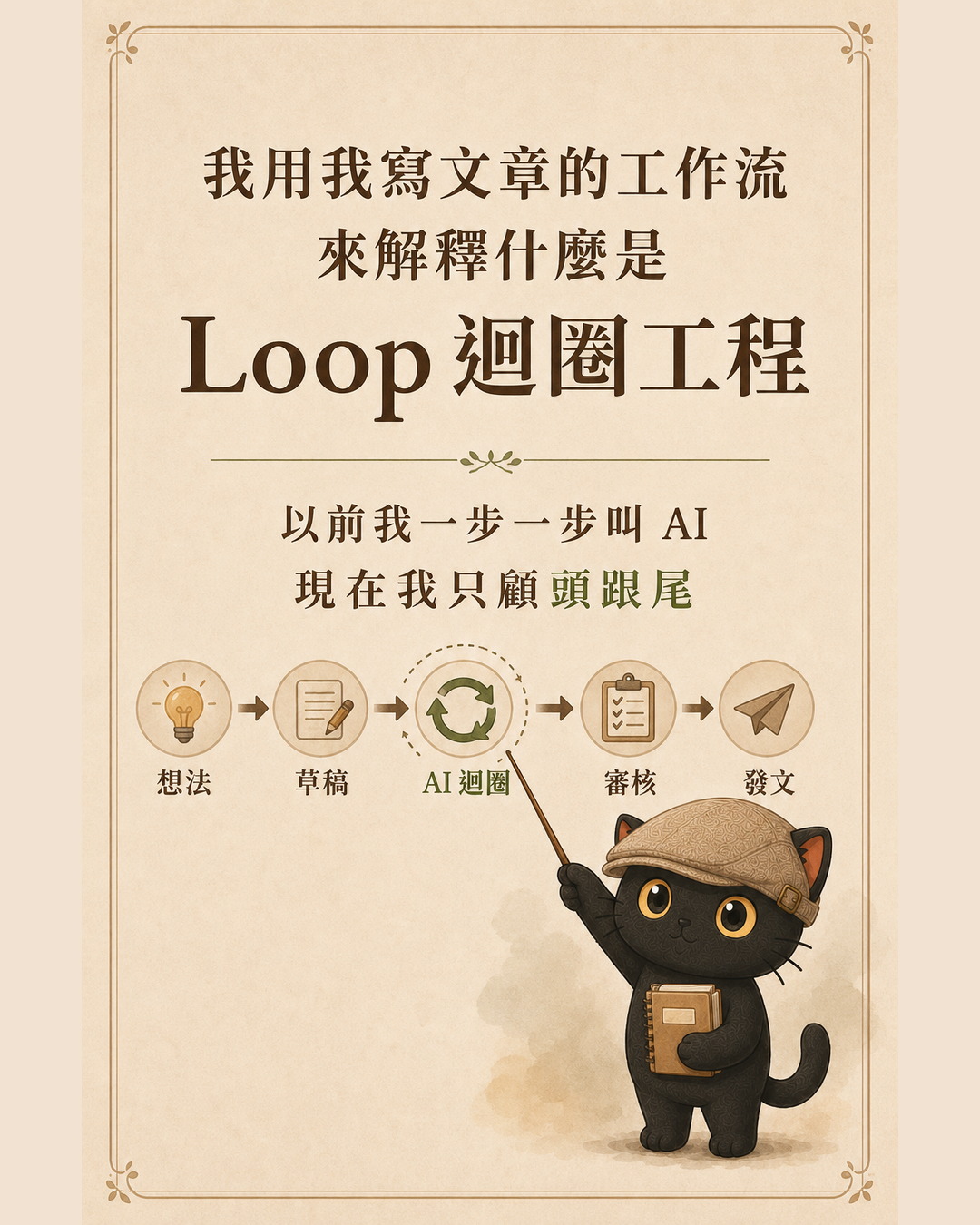
Loop engineering is a term circulating in engineering communities. The idea is that instead of writing prompts one sentence at a time, engineers design a cycle that runs an entire task on its own. This article uses no code examples at all. I explain the full architecture of loop engineering through my article-writing workflow.
- You already use AI, but every task still requires calling it step by step, which is exhausting
- You regularly do the same category of work (writing articles, summarizing meetings, replying to clients), and the mental checklist you run each time is nearly identical
- You have heard "design the loop, not just the prompt," but you are not sure what that actually means
- A one-sentence definition of loop engineering and how it differs from prompt engineering
- The five phases of a running loop, plus the minimum components it requires
- Two real examples, and three criteria: how to know whether a loop is working, when it is worth building, and which pitfalls you still have to watch yourself

1. The definition: what is loop engineering
What does "the cycle you keep running yourself" mean? When I used to write an article, I would give AI my idea, ask it to polish the draft, check its response, then ask it to brainstorm titles, check that response, then ask it to flag risks. Input, check the reply, input again. The role going around in circles was always me. I got tired because I was the manual loop.
What loop engineering does is take that cycle out of my hands and turn it into a system that spins on its own. I only handle the beginning, providing the raw material, and the end, receiving the finished output. Everything in between, the system runs itself.

2. Prompt engineering vs. loop engineering
These two things differ by one level of abstraction.
- You are working to make a single instruction as precise as possible
- The goal is one clean output
- You are the one running the cycle
- You are working to design an entire workflow that runs automatically
- The goal is a reliable, already-verified result
- The system you designed is the one running the cycle
3. The five phases of a running loop
Any loop, when broken down, moves through the same five phases. Here they are mapped against my article-writing process:
- Explore: What do I want to write, for whom, and what problem does this piece solve for the reader?
- Plan: Choose an angle and outline the key points to cover.
- Execute: Write the draft.
- Verify: Check the draft against a checklist to determine whether it is actually ready.
- Iterate: Fix anything that did not pass, then verify again, until every item on the checklist clears.
Here is the key insight. Previously, each phase required me to push the transition to the next one manually. What loop engineering does is let phases three through five run continuously on their own: once I supply the exploration and the plan, AI executes, verifies, and iterates by itself, returning to me only when everything passes.
4. The minimum components a loop requires
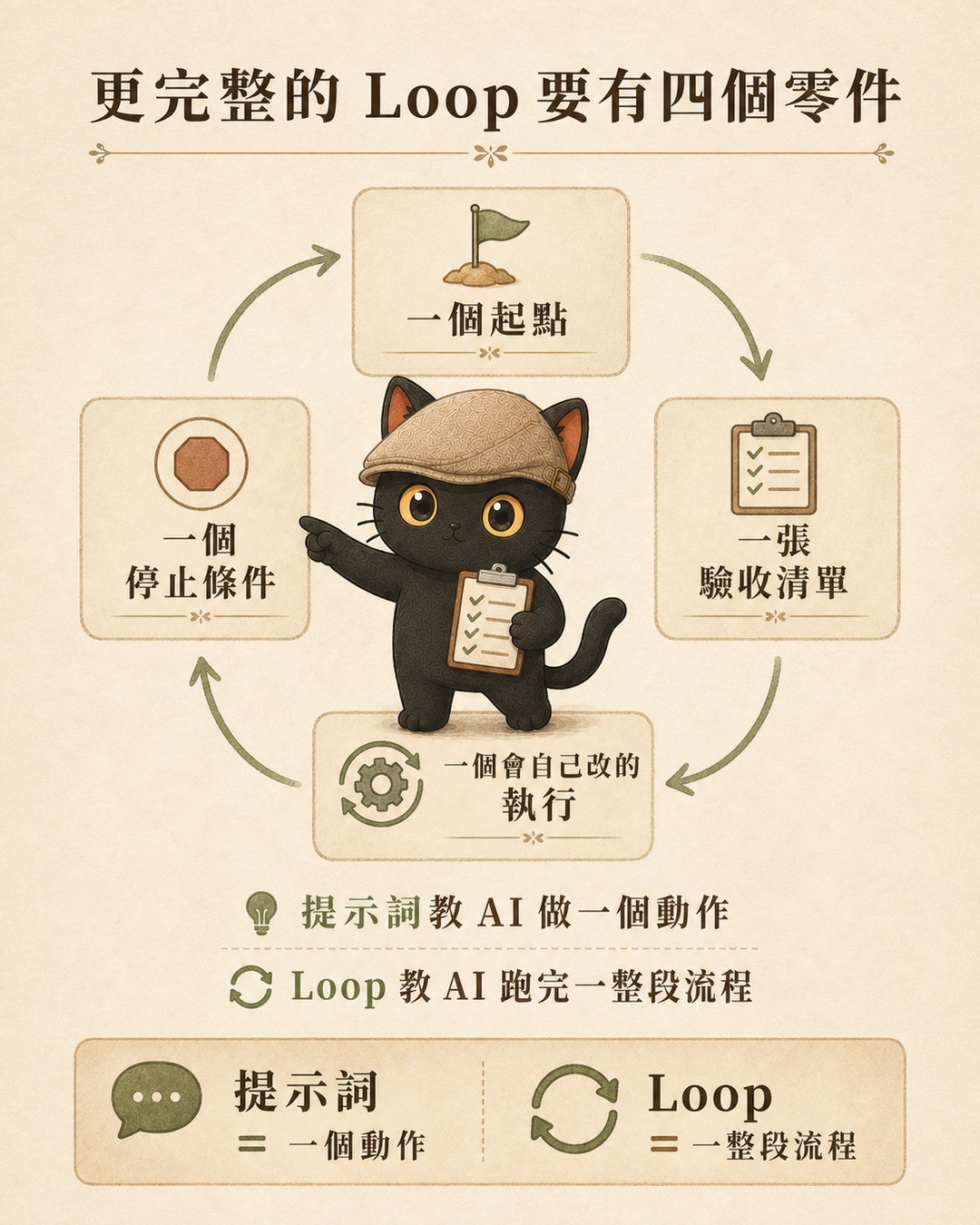
To turn those five phases into something that actually runs, you need at least four components.
- 1. A starting pointYou have to give it something to work with. For article writing, the starting point is my idea and a rough draft. There is a common misconception worth addressing here: drafting is my responsibility, not AI's. I am the one who empties my head first, even if the result is only a rough skeleton.
- 2. An acceptance checklistThis is the heart of the entire loop, the checklist from phase four above. The checklist defines what "done" looks like. Without it, AI does not know when to stop. It will either keep making unnecessary changes or quit too early.
- 3. Self-correcting executionAI takes my draft, goes through the checklist item by item, and revises whatever does not pass, all without me having to narrate each next step.
- 4. A stopping conditionStop when every item on the checklist passes. Or, if two or three rounds still leave items failing, stop and report exactly where things are stuck rather than looping forever.
The head (starting point) and the tail (final review) belong to me. The two middle components (execution and stopping) belong to the system.

5. Real example one: turning article writing into a loop
I recently wrote a short piece about writing articles, and that piece itself was produced this way.
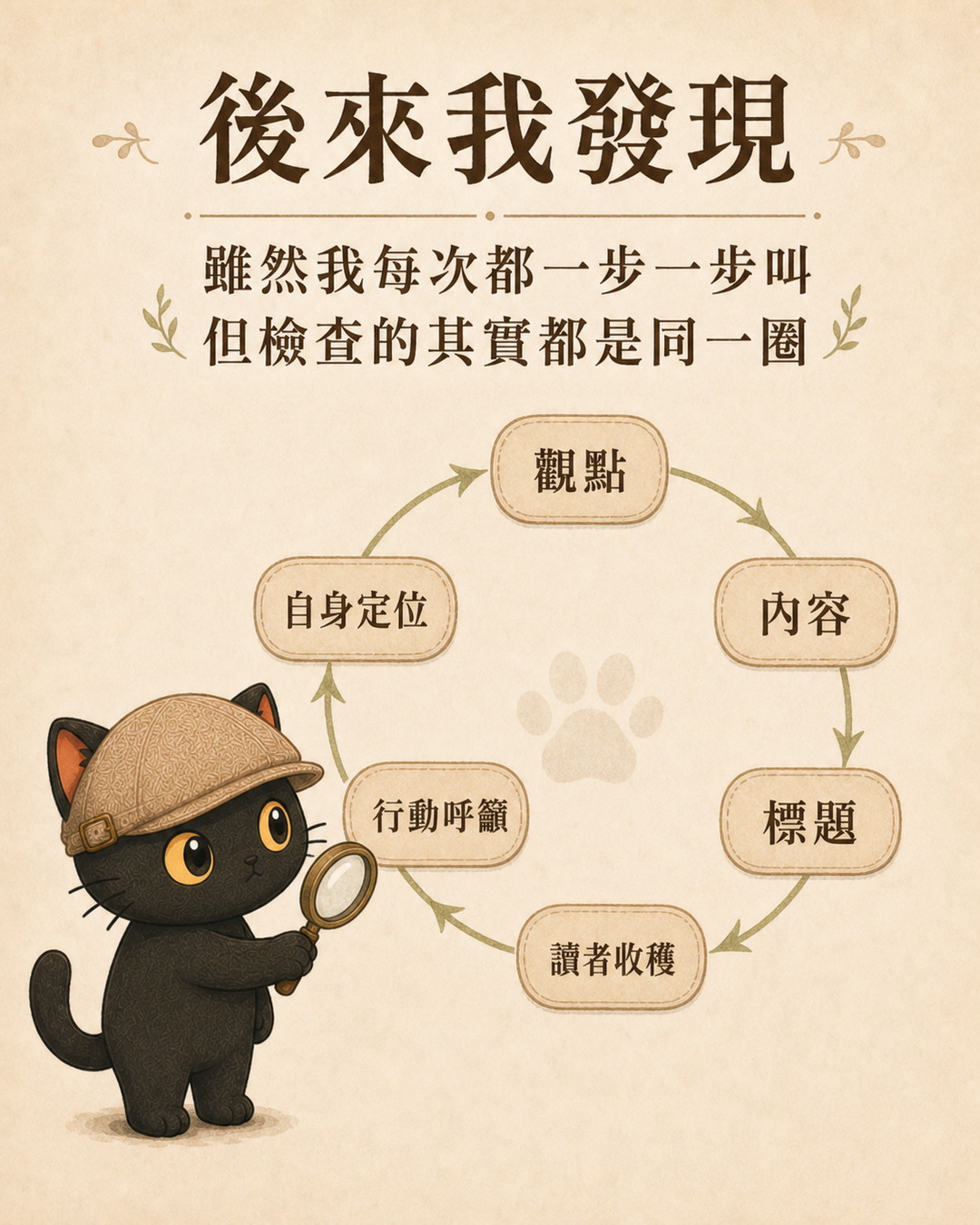
I wrote a rough draft first. Then, instead of calling AI one instruction at a time, I handed it an acceptance checklist with six items:
- Is the purpose clear?
- Does the title match the content?
- Is this meaningful to the reader?
- Is the title easy to understand?
- Does the ending land, or is it too vague?
- Is this consistent with my positioning?
AI ran through all six items on its own, revised whatever did not pass, and only returned the finished piece once all six cleared. My only job was the final look to confirm it was ready to publish.
6. Real example two: turning my entire AI collaboration into a loop
Article writing is a small loop. I later applied the same architecture to my entire AI collaboration workflow.
The problem was familiar: every complex task required me to give a reminder. Complex tasks needed a reminder to bring in a second AI. Finished tasks needed a reminder to write a work log. New rules needed a reminder to save them. I was still playing the role of the manual loop, just in a different setting.
So I designed a collaboration loop for myself, wrote it as a set of rules, and had all my AI assistants read and follow them. The components are identical to the article-writing loop, with the checklist updated for this context:
- Classify first: Is this a quick lookup or a change that affects important settings? Small tasks get handled quickly. Large tasks get a higher level of scrutiny. This is the first gate on the checklist.
- Find a second brain automatically: For complex or risky tasks, it automatically consults another AI for a cross-check, without waiting for me to ask.
- Wrap up independently: After completing a task, it automatically writes a work log and decides whether any new rules should be saved.
- Know when to stop: If two or three rounds produce no progress, stop and report rather than looping indefinitely.
Once the design was in place, I went from the person issuing instructions one by one to the person who defines the checklists.
7. How to tell whether your loop is actually working
Building a loop does not mean it is useful. There is one simple metric: adoption rate.
Of everything AI hands back after running a loop, how much do you actually use? If eight out of ten revisions require you to start over anyway, the loop is not helping you. It is wasting your time. A low adoption rate usually has one of two causes: the checklist was not specific enough for AI to understand your standards, or the task was simply not a good candidate for a loop in the first place.
8. When is a loop actually worth building
Not everything should be turned into a loop. The engineering community's own conclusion is that most people do not need a loop yet. A task worth looping has to meet all of the following conditions at once:
- You will repeat it regularly, not just once
- You can articulate clearly what "done" looks like, well enough to write it as a checklist
- You can afford the time and cost of AI running multiple rounds
9. Three pitfalls a loop cannot solve on its own
Loops are sometimes described as if they handle everything. But there are three pitfalls a loop cannot get past by itself. These require your attention.
10. Build order: run it manually until it is stable, then automate
Skipping steps is the leading cause of a loop breaking down. The correct order is:
- Run the task manually until it is stable and consistent
- Distill it into a clear checklist
- Wrap the checklist into a loop that runs on its own
- Only when truly needed, let it trigger automatically
I wrote dozens of articles by hand first, until I knew exactly what I was checking for each time, before I handed that checklist off. The checklist grew from real experience. It was not invented from scratch.
Closing: move the lever up one level
This entire article in one sentence: what you need to learn is how to go from being the person who keeps issuing instructions to being the person who designs the checklist. That has nothing to do with whether you can code.
People who know how to lead teams, design processes, and do the same category of work repeatedly are actually better positioned to do this than engineers. Because you already have the checklist. It is just still inside your head, not yet written down. What I keep doing is taking the judgment you have always had but could never quite explain, and extracting it one item at a time into something reusable.
Your turn. Before you start any task, what questions does your mind automatically run through? That cycle is exactly what you can design into a loop.
Frequently asked questions
Should I learn prompt engineering or loop engineering first?
Start with prompts, because every step inside a loop still relies on them. Once you notice yourself repeatedly calling AI through the same sequence of steps, that is the signal to wrap it into a loop.
Can I build a loop without knowing how to code?
Yes. This entire article contains no code. The heart of a loop is the checklist that defines "done," which has nothing to do with coding and everything to do with knowing your own standards.
Will a loop cause AI to run out of control?
It will, if you do not set a stopping condition. Every loop needs a rule such as "stop when everything on the checklist passes" or "stop and ask me if there is no progress after two or three rounds." The stopping condition matters as much as the checklist itself.
What kind of work is best to turn into a loop first?
Whatever you repeat most often and can clearly define as "done." For me that is writing articles. For you it might be replying to recurring client messages, summarizing meetings, or producing weekly reports.
Further reading
- Intent-first: from prompt engineering to steering engineering (coming soon) — A loop is the cycle you design. Steering engineering is how you give AI its objectives and boundaries. The two articles pair well together.
- Your Documents Are Your System: How Non-Engineers Design Agents Writing your judgment into documents is how you store a loop for later use.
- How to Train Your AI Employee: The Employee and Advisor Framework From single actions to complete workflows: seeing how judgment becomes a reusable process.