What is this article talking about?
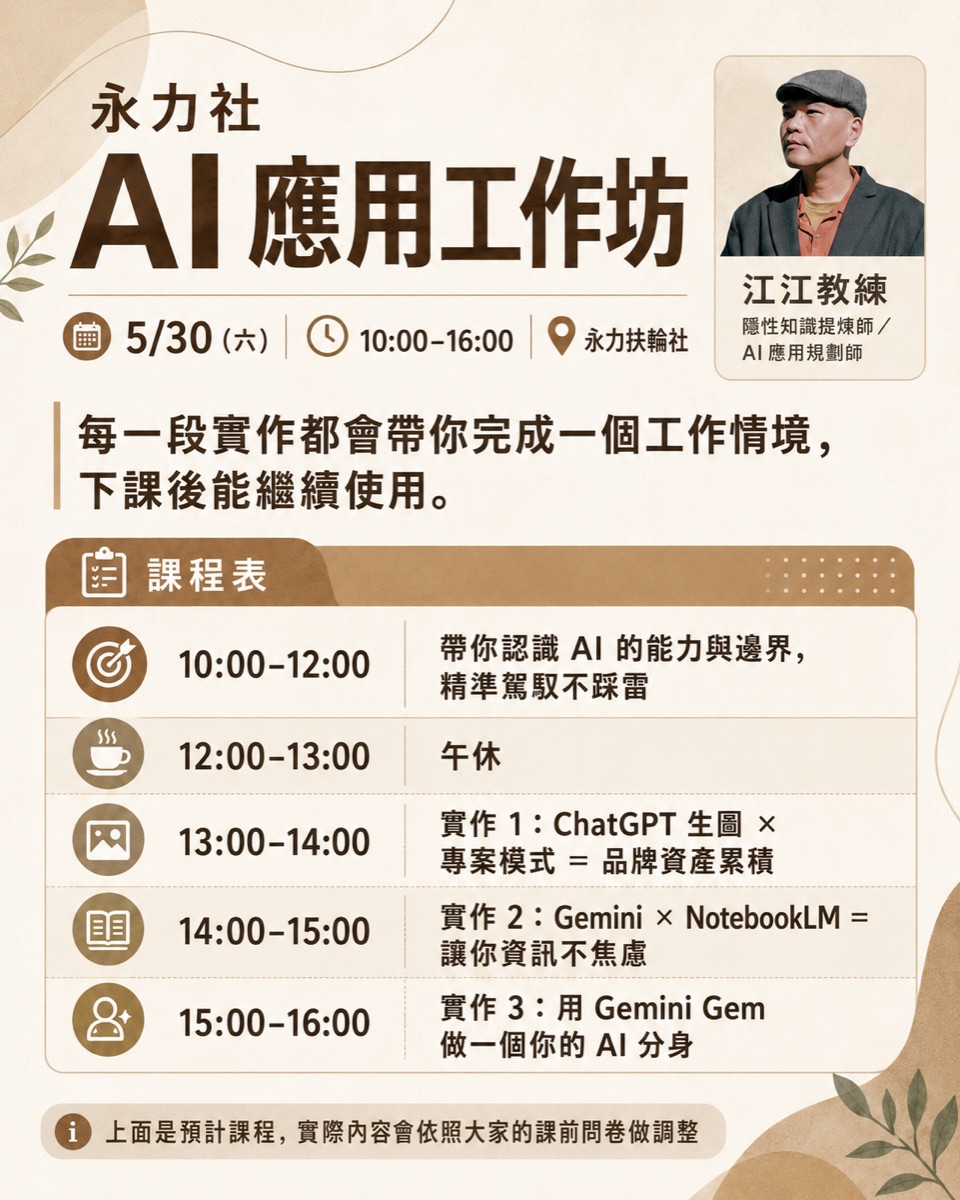
This is the complete record of a one-day AI workshop with business owners from the Chamber of Commerce. The course actually went through thirteen sections from morning to afternoon, starting with "You don't need to learn AI because you can't finish it" and going all the way to the ChatGPT project, NotebookLM, desktop Agent and skill pack. This article is organized according to the actual lecture order, so that people who have not been present can also walk through this line. Who is
· Business owners, executives, and people who want to know where to start with AI introduction
· People who have taken several courses on AI tools, but still don’t know how to use them when they return to work
· People who want to help organizations or communities plan AI training and want to know how to arrange a one-day class
· A complete one-day course route from concept to operation
· Task division of four tools: ChatGPT project, NotebookLM, desktop Agent, and skill package
· Two after-school homework assignments that are given on the same day, you can follow them directly
Morning: Dismantle anxiety first, and then understand the boundaries of AI
AI There is no need to learn it because you can’t finish it
Start by calibrating your concepts and getting rid of the anxiety of "I want to learn all the tools." You don’t need to memorize every software operation or chase every new tool. What really matters is the judgment: which things should be handed over to the system, which things should be handed over to AI, and which responsibilities still need to be confirmed by humans.
Asking the time in the library: AI will generate it, but it doesn’t necessarily know
The class uses a metaphor to illustrate the boundaries of AI: a person is studying in a library without a clock or a mobile phone. If you ask him what time it is, he will not really know it no matter how good he is at reasoning. He can guess and give a seemingly reasonable answer, but that is two different things from truly knowing.
For business owners, this metaphor can be changed into three sentences: AI is good at sorting, translating, generating, and reasoning; AI will not automatically know the real information you have not provided; for AI to be reliable, it must be able to read the information it needs to read, touch the tools it needs to touch, and stop where it needs to stop.
Be your own image poster: If AI doesn’t know you, it will cause chaos
The warm-up practice in the morning was to use my own photos and information to make an image poster. It is also the most intuitive boundary demonstration: when AI does not recognize your appearance, brand, or role, it will produce a picture that "looks like a professional" but is someone else.
You have to hand it the material and tell it your role, color, shape, and stance, so that it can move from "generally useful and good-looking" to "like you, usable, and accumulable." This also foreshadows the digital avatar that will follow: even an image requires data, and a real AI avatar needs more data, tone, judgment and continuous correction.
Teach AI a set of thinking framework: Demonstration of subject separation
There was also a demonstration using "topic separation" in the morning: first make it clear whose homework it is, be responsible for your own homework, and return the other person's homework to the other person. The focus of this paragraph is to demonstrate how to teach a set of thinking methods to AI: first explain the framework in words that adults can understand, then break down the judgment steps into processes that AI can follow, and finally let AI use this framework to analyze conversations or decision-making situations.
Rather than just asking AI to "help me analyze", it is more effective to clearly write "how you want to analyze". This is the prototype of the skill package.
Teach people and record at the same time, and teach AI at the same time
Later in the morning, I talked about a practice that is very important for lecturers, consultants, and one-person companies: recording while teaching people, and teaching AI at the same time. A lot of knowledge is not written into SOPs. It is hidden in how you teach people, how you answer questions, and how you handle on-site situations.
Find something you are familiar with and actually do it once. Don’t do it just for the sake of recording.
Classes, meetings, and teaching sites can all be sources of material.
Use a transcription tool to turn the recording into text. Be complete first and then clean.
Arrange it into a version that others can understand according to the actual order.
Turn into a reusable SOP, skill pack, or course supplement.
The article you are reading was itself made through this process.
Meeting minutes should record things that AI cannot remember
The recording will be kept and the briefing will be sent to everyone. What else should be recorded in the meeting minutes made by that person? The answer is to remember on-site signals that are not easy for AI to catch on its own: who paused for how long, who looked excited or hesitant, which question made everyone react suddenly, where the lecture was stuck, how many times this topic was taught for the first time, and whether it went more smoothly the second time.
AI can organize knowledge, but on-site reactions, emotions, interactions and rhythms require people to consciously write them down. These are the truly valuable information for review after class.
Afternoon: Put the data into the cumulative work space
ChatGPT Project: Dialog Folder
Start in the afternoon in ChatGPT project mode. In the most vernacular terms, a project is a folder of dialog boxes: put the chats, information, and settings of the same topic together so that the AI will not recognize you as if it is the first time every time. For exam preparation, you can open a project to include official materials and archaeological questions, for customers, you can open a project to include meeting minutes and proposal directions, and for courses, you can open a project to include syllabuses, questionnaires, and feedback.
The class also reminded of the limitations: most of the projects for the web version and the mobile version are independent, and it is difficult to integrate them naturally across projects. This is exactly the hole that the desktop Agent needs to fill later.
NotebookLM and Gemini: The division of labor between memory and thinking
Put in the information, keep the source, and let AI answer based on the information you gave it. It turns your data into a consultant that can be talked to, questioned, and traced back to the source.
Helps you understand, compare, and generate data, and it will appear in the entire Google ecosystem such as Gmail, documents, and maps.
The project is the space and the avatar is the role.
Another group of concepts that is easily confused is projects and AI clones. The project is the work space, where information, chat, and progress are concentrated; the avatar is the role, which uses a specific tone, judgment criteria, and task methods to help you work. You need to pursue a client for a long time and open a project; you need to be a "topic separation consultant" and act as a doppelgänger.
The class also demonstrated a very effective method of avatar calibration: the real person and the digital avatar were present at the same time. Everyone asked the avatar questions, and the real person watched from the side and corrected on the spot what was different and where the answers were wrong.
Desktop Agent: From chatting to working
The key point of desktop Agent (codex demonstration for classroom use) is that AI can finally touch your working environment: its projects directly read the local folder, you can view files, modify files, install skill packs, and break tasks into steps for execution.
A very honest addition at the scene: If the demonstration folder is empty, the AI will overturn because it has not been taught, has no information, and has no skill pack. If the same AI is put into a real work folder and can read the past context, the performance will be completely different. This shows that the value of the desktop Agent comes from the organization of your environment, and the model itself is only half.
The skill pack is an operation manual, not a spell
The most vernacular definition of skill package: an operation manual for AI. It is more than one prompt word, and is a set of process specifications that can be written in thousands or tens of thousands of words. As long as the AI or Agent supports a skill pack, it will try to do things according to the rules in it.
- Fix the process that was done well once and use it directly next time.
- Move the successful practices of Project A to Project B.
- Write your professional judgment into a reusable protocol.
- Install the design, organization, and research capabilities that others have done, and make up for whatever skills you lack.
You can also do the after-school homework for the day
The end of the one-day class is two homework assignments, one for the mobile phone and one for the desktop, which correspond to the two paths of "accumulating data first" and "fixing the process first".
- Mobile version homework: Create a project in ChatGPT, collect all conversations on the same topic, and ask AI to consolidate them after a week or two of chatting to feel the difference after the data is accumulated.
- Desktop version homework: Find one thing that happens repeatedly at work, and ask AI to help you design "how you usually do it" into your own skill package.
The key point is to start practicing and explain your approach clearly. Tools will continue to be changed, and the ability to explain clearly and the processes left behind are the real assets accumulated by the organization.